How to change the COD option in shopify store?

Many shopify owner facing one problem in cod like if you are selling your product in asia , europe and different country reason and you want to to give some places code available and some place not so how you can do it and also we know how to enable case on delivery in shopify most of the seller disable the cod due to some reason like someone buy the product and when the delivery boy come on the door they don’t pick up the call and give him different reason so that’s why many shopify owner disable it,

In this article first we see how to enable case on delivery in shopify then we proceed next we are cover only 2 things in this article dont’s worry i give you the screenshot so you can easily understand the process

These are the steps of enabling COD in shopify .

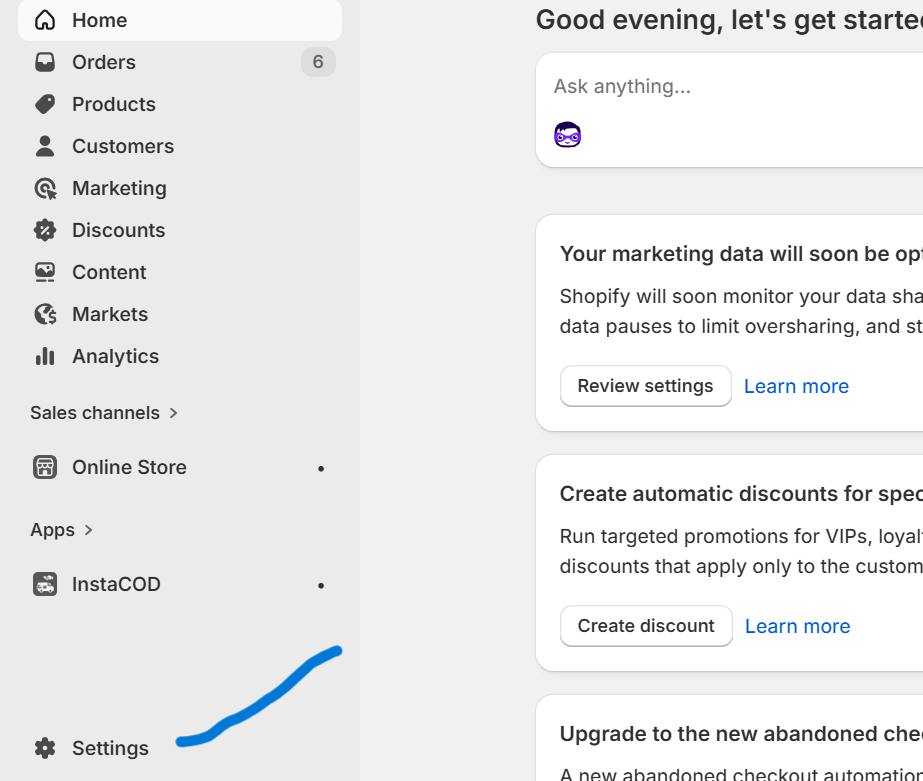
Go to admin: and then open the setting see down side setting gare click on it follow the blow image

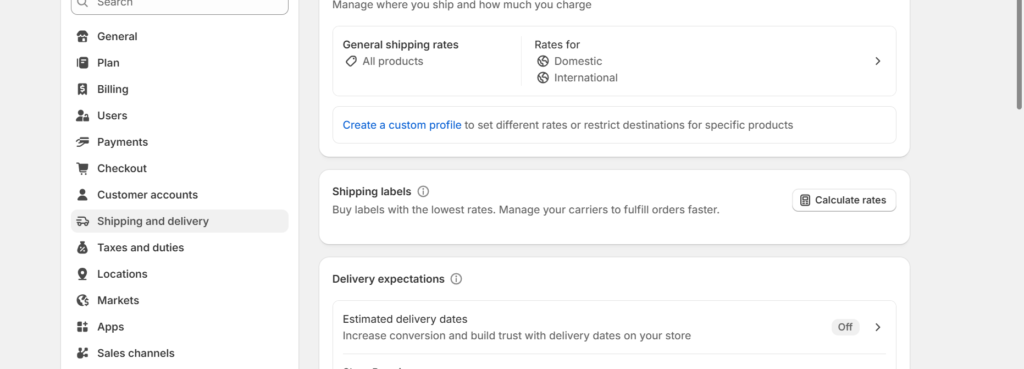
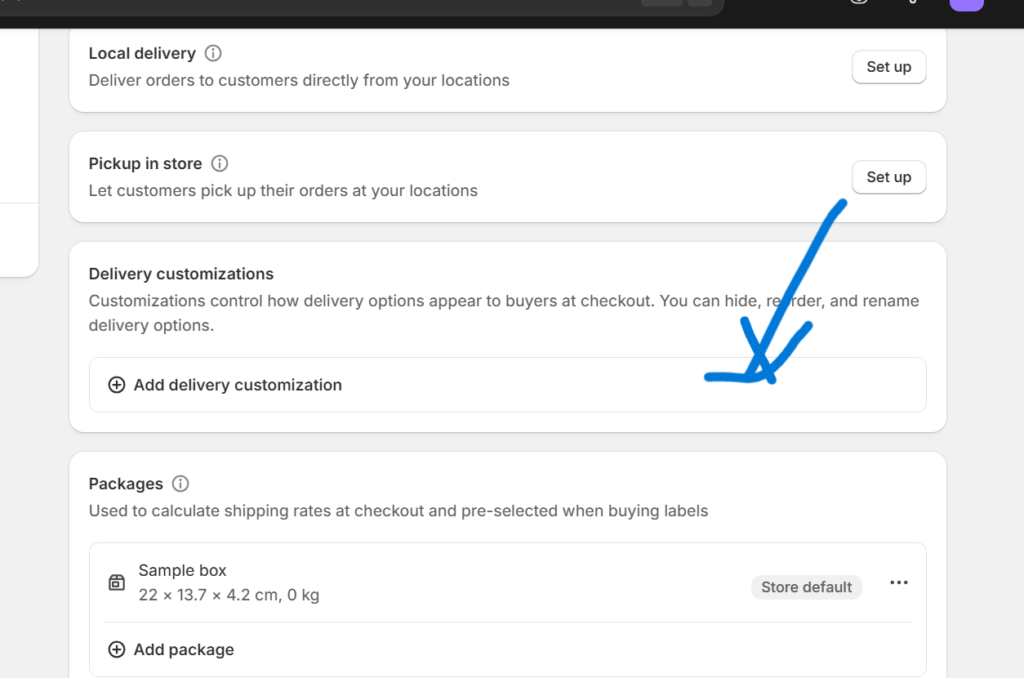
Go to Shipping and delivery : click on shipping and delivery and scroll you see the Delivery customizations click on it and customize you Delivery

How to change set the cod enable at one place and disable at one place?

let see how you can add cod for one reason and not for other here you can add condition suppose if you sell your product on asia and europe and you want in asia cod available but in europe cod not available how can you do , to do this there are many app in the marketing that is free and paid so i give you what app i used for this issue and also i give you the link of that app so you can easily go to  the shopify app store 

App name is InstaCOD  Add a fee and Show/Hide Cash on Delivery (COD) based on conditions
Conclusion

Form the above content you can understand how to enable case on delivery in shopify and also how to add conditional case on delivery on shopify follow the  above article and do it in the next article we cover more app that can help you to add your case on delivery in condition way , 

Leave a Comment